
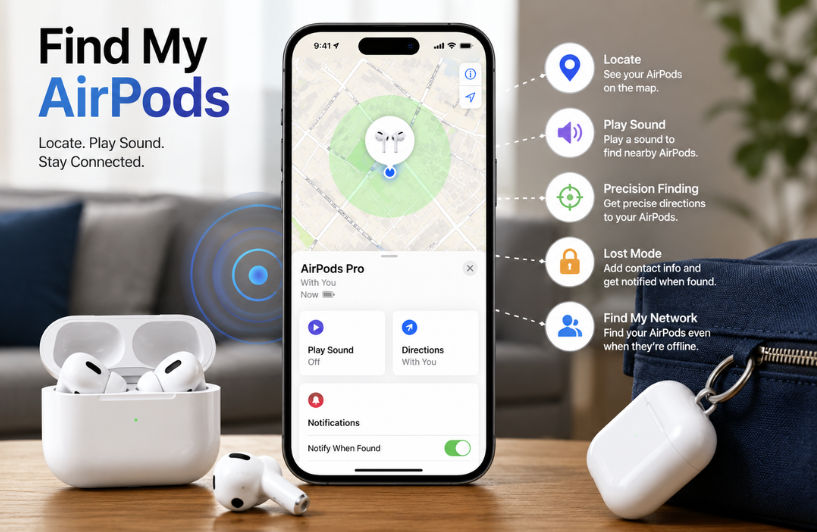

Losing your AirPods can be frustrating, especially if you use them every day for work, travel, or entertainment. Fortunately, Find My AirPods makes it much easier to locate misplaced earbuds, track their last known location, and even play a sound to help you find them.
Whether you’ve left them at home, misplaced them at work, or can’t remember where you last used them, Apple’s Find My service offers several tools to help you recover them. This guide explains how to locate lost AirPods, use Precision Finding, track offline devices, find a missing charging case, and troubleshoot common issues with Apple’s Find My features.
| Feature | Description |
| Current Location | Shows live AirPods location |
| Last Known Location | Displays the most recent recorded location |
| Play Sound | Helps locate nearby AirPods |
| Precision Finding | Provides precise directions to compatible AirPods |
| Charging Case Tracking | Locates supported charging cases. |
| Offline Finding | Tracks compatible AirPods through the Find My network |
| Lost Mode | Enables recovery notifications and contact details |
| Separation Alerts | Warns if you leave AirPods behind |
| Compatible Devices | Works with supported AirPods and Apple devices |
| Main Benefit | Helps find and recover lost AirPods quickly |
Find My AirPods: How It Works

Apple’s Find My network allows compatible AirPods to share their location securely with your Apple devices. Once your AirPods are paired with your Apple ID, they automatically appear in the Find My app on your iPhone, iPad, or Mac.
Depending on your AirPods model, you can:
- View their current or last known location.
- Play a sound to help locate them.
- Use Precision Finding (supported models).
- Enable Lost Mode.
- Receive separation notifications.
- Track certain charging cases through the Find My network.
These features work together to make recovering lost AirPods much easier than searching manually.
Features Available by AirPods Model
| Feature | Available On |
| View Current Location | Most AirPods models |
| Last Known Location | Most AirPods models |
| Play Sound | Most AirPods models |
| Precision Finding | Selected newer AirPods models |
| Lost Mode | Supported models |
| Separation Alerts | Supported models |
| Charging Case Tracking | Supported charging cases |
| Find My Network Support | AirPods Pro (2nd generation) and newer compatible models |
How to Locate Your AirPods

If your AirPods are missing, start by opening the Find My app on your Apple device.
Then follow these steps:
- Open the Find My app.
- Tap the Devices tab.
- Select your AirPods.
- View their location on the map.
- Follow the directions shown.
- Play a sound if the AirPods are nearby.
If only one earbud is missing, the app can help you locate the left or right AirPods individually.
Using Precision Finding

Precision Finding is available on compatible AirPods and supported iPhone models.
Instead of simply showing a location on a map, this feature provides:
- Distance indicators
- Direction arrows
- Real-time guidance
- Visual prompts
- Haptic feedback
These tools help you locate AirPods with greater accuracy, particularly indoors or in crowded environments.
Finding Offline AirPods
Even if your AirPods are offline or out of battery, you may still be able to see their last known location. If another Apple device on the Find My network detects compatible AirPods, the location can be updated automatically without revealing anyone’s identity. This feature significantly improves the chances of recovering lost devices.
Locating the Charging Case
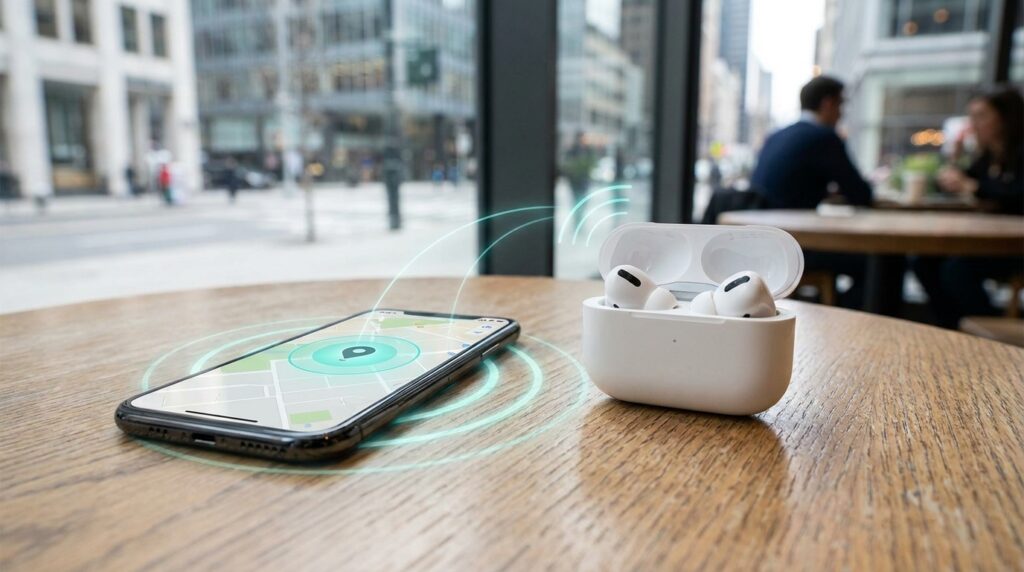
Newer AirPods charging cases support independent tracking.
If your charging case supports Find My, you can:
- View its location separately.
- Play a sound.
- Receive directions.
- Mark it as lost.
Older charging cases may only display the location where the AirPods were last connected.
Enable Lost Mode
Lost Mode helps protect your AirPods if someone else finds them.
When enabled, you can:
- Leave contact information for the finder.
- Receive notifications when the AirPods are detected.
- Increase the chances of recovering your device through the Find My network.
It’s a useful feature if you believe your AirPods have been left in a public place.
Separation Notifications
Apple also offers separation alerts to help prevent losing your AirPods in the first place. When enabled, your iPhone can notify you if you leave your AirPods behind at a location that isn’t marked as trusted, such as your home or workplace. This proactive feature helps many users avoid accidental loss.
Common Reasons AirPods Cannot Be Found
Sometimes AirPods may not appear correctly in the Find My app.
Possible reasons include:
- The battery is completely drained.
- Bluetooth was turned off before they were lost.
- The AirPods were removed from your Apple ID.
- Find My was not enabled.
- The devices are out of network range.
- Internet connectivity issues.
Checking these factors can often resolve tracking problems.
Tips to Avoid Losing Your AirPods
Although Apple’s tracking features are helpful, prevention is always better than recovery.
Consider these practical tips:
- Keep AirPods in their charging case when not in use.
- Enable Find My immediately after pairing.
- Turn on separation notifications.
- Regularly charge both the earbuds and case.
- Store them in a consistent location at home.
- Consider using a protective case with a keyring attachment.
These habits can significantly reduce the likelihood of losing your AirPods.
Privacy and Security
Apple’s Find My network is designed with privacy in mind. Location data is encrypted and can be viewed only by the owner of the linked Apple ID. The network uses anonymous, secure communication between Apple devices, helping protect user privacy while enabling the location of lost AirPods.
Conclusion
Find my AirPods is one of the most valuable features available to Apple users, offering multiple ways to locate misplaced earbuds and compatible charging cases. From viewing the last known location and playing a sound to using Precision Finding and Lost Mode, the service provides several tools that improve the chances of recovering your device.
By enabling these features in advance and following good storage habits, you can minimise the risk of permanently losing your AirPods and enjoy greater peace of mind.
Want to know about Best Bluetooth MP3 Players Check out our Tech category.
Frequently Asked Questions
Yes. Compatible AirPods may display their last known location, and newer models can also use Apple’s Find My network to update their location when detected by nearby Apple devices.
Yes, but only charging cases that are supported offer independent tracking through the Find My network. Older cases may only show their last connected location.
Precision Finding is a feature available on supported AirPods and iPhone models that provides directional guidance, distance indicators, and real-time navigation to help locate nearby AirPods more accurately.
Yes. The Find My app lets you locate a single AirPods if only one earbud is missing.