

Introduction
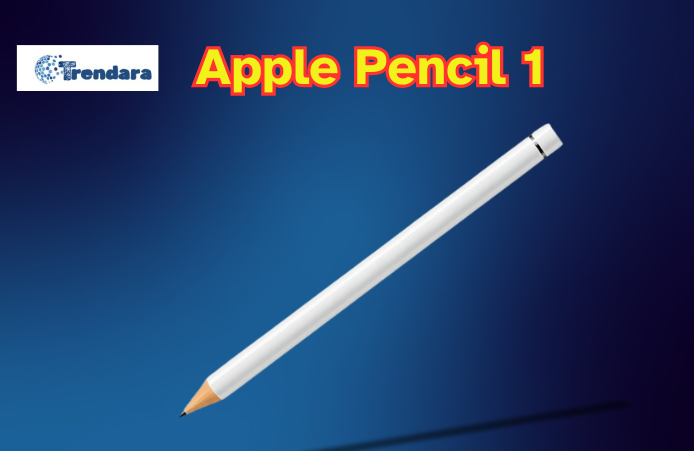
The Apple Pencil 1, introduced in 2015, has revolutionized digital creativity for iPad users. This precision stylus offers 4,096 levels of pressure sensitivity, tilt recognition, and minimal latency, enabling artists and note-takers to work with unprecedented accuracy and expression. Despite being an older model, the Apple Pencil 1 continues to receive positive reviews for its performance and versatility.
Users praise its comfortable design, measuring 6.92 inches and weighing just 0.73 ounces, allowing extended use without fatigue. While some critics point out its charging method as a potential drawback, many still consider it a valuable tool for digital art and productivity. As we approach 2025, the Apple Pencil 1 remains popular for iPad users seeking to enhance their creative and professional workflows.
| Year Introduced | 2015 |
| Length | 175.7 mm (6.92 inches) |
| Diameter | 8.9 mm (0.35 inches) |
| Weight | 20.7 grams (0.73 ounces) |
| Pressure Sensitivity Levels | 4,096 |
| Connectivity | Bluetooth, Lightning connector |
| Charging Method | Lightning connector |
| Tilt Recognition | Yes |
| Compatible Apps | Procreate, Affinity Designer, Adobe Fresco |
| Key Features | Pressure sensitivity, tilt recognition, low latency |
| Maintenance | Clean tip with lint-free cloth, replace when worn |
| Storage | Magnetically attached cap |
| Compatibility | Various iPad models (see device specifications) |
| Adapter Included | USB-C to Apple Pencil Adapter (for 10th-gen iPad) |
Understanding the Apple Pencil 1’s Capabilities
The Apple Pencil 1, launched in 2015, marked a significant milestone in digital creativity for iPad users. This precision stylus offers 4,096 levels of pressure sensitivity, tilt recognition, and minimal latency, enabling artists to create with unprecedented accuracy and expression. Its sleek design, measuring 6.92 inches and weighing just 0.73 ounces, ensures comfort during extended use.
Setting Up Your Digital Canvas
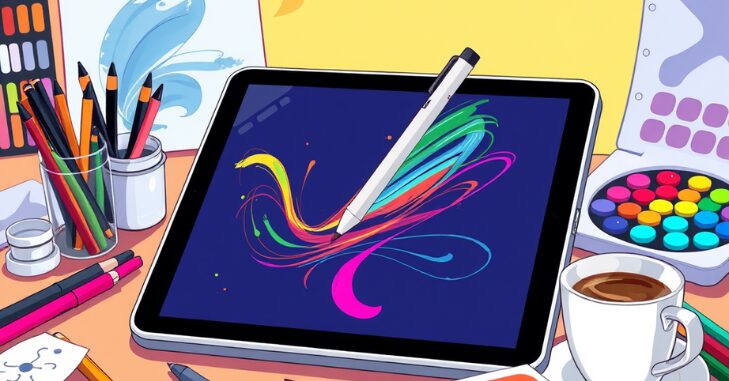
Before embarking on your artistic journey, it’s crucial to establish an optimal digital workspace. Select a drawing app that aligns with your creative needs, such as Procreate, Affinity Designer, or Adobe Fresco. When initiating a new project, consider the canvas size and resolution best suits your artwork’s intended purpose.
Familiarize yourself with the app’s brush library and customize your toolset. Experiment with various brush types, sizes, and opacities to discover combinations that complement your artistic style and enhance workflow efficiency.
Design and Precision of the Apple Pencil (1st Generation)
The Apple Pencil (1st Generation) set a new standard for digital styluses with a minimalist, pencil-like design that feels comfortable and intuitive in everyday use. Its pressure and tilt sensitivity allows artists and note-takers to vary line weight and shading naturally, closely mimicking the feel of traditional drawing tools on an iPad screen.
The smooth body and balanced weight make it easy to hold for extended creative work, while the replaceable tip adds durability and control over precision tasks. Charging and pairing are accomplished through the device’s Lightning connector, keeping the design clean and functional without extra buttons or clutter.
Mastering Fundamental Techniques
Harnessing Pressure and Tilt Sensitivity
The Apple Pencil 1’s pressure sensitivity is a game-changer for digital artists. Practice applying varying pressure levels to achieve diverse line weights and shading effects, adding depth and dimension to your creations. Additionally, expand your artistic repertoire by exploring the tilt functionality to produce broader strokes and unique textures.
Leveraging Layers and Opacity
Utilize layers to build complexity and maintain flexibility in your artwork. Begin with a basic sketch layer, then add subsequent layers for refining details, applying colour, and incorporating effects. Adjust layer opacity to create subtle blending effects or to refine your initial sketch, allowing for a non-destructive workflow.
Advanced Drawing Strategies
Crafting Intricate Illustrations
Combine various drawing tools and techniques to create highly detailed artwork. Adjust brush parameters to match the required level of detail for different elements of your piece. Develop and save custom colour palettes to maintain consistency throughout your work, streamlining your colour selection process.
Achieving Precision with Geometric Shapes
Take advantage of features like QuickShape in Procreate to create perfect geometric forms. Use the Apple Pencil with your app’s ruler or guide tools for even greater precision, enabling you to easily create flawless straight lines, circles, and other shapes.
Optimizing Your Workflow
Customizing Gestures and Shortcuts
While the Apple Pencil 1 lacks the double-tap feature of its successor, you can still streamline your workflow by customizing gestures and shortcuts within your chosen app. Set up quick actions for everyday tasks like undoing, switching tools, or adjusting brush size to enhance productivity.
Organizing Your Digital Toolkit
Create a personalized set of frequently used brushes, colours, and tools. This organization can significantly accelerate your workflow, allowing you to focus more on creating and less on navigating menus.
Exploring Diverse Artistic Styles
The versatility of the Apple Pencil 1 allows for exploration across various art styles and techniques.
Digital Painting Techniques
Experiment with brush textures and blending modes to achieve rich, painterly effects. Layer colours and adjust the opacity to create depth and luminosity in your digital paintings, leveraging the Apple Pencil’s pressure sensitivity for nuanced brushstrokes.
Perfecting Line Art and Inking
Utilize the Apple Pencil’s precision for clean, crisp line art. Take advantage of stabilization features in your drawing app to create smooth, confident lines. Practice varying line weight to add dynamism and depth to your illustrations.
Rapid Sketching and Concept Art
The responsiveness of the Apple Pencil 1 makes it ideal for quick sketches and concept art. Use loose, gestural strokes to capture ideas rapidly, then refine them on new layers. This workflow encourages experimentation and iteration in your creative process.
Overcoming Technical Challenges
Improving Palm Rejection
Managing Battery Life Effectively
Consider using a drawing glove or adjusting your hand position to minimize unwanted marks while drawing. To optimize performance, explore palm rejection settings in your chosen app.
Develop a habit of regularly checking your Apple Pencil’s battery status and charging it when unused. Keep the Lightning adapter accessible for quick charging between drawing sessions.
Expanding Your Artistic Horizons
Leveraging Online Learning Resources
Enhance your digital art skills through online tutorials and courses. Many experienced artists and educators offer comprehensive guides on using the Apple Pencil and various drawing apps, covering everything from basic techniques to advanced digital art concepts.
Engaging with Digital Art Communities
Join online art communities and forums to connect with fellow digital artists. Share your work, seek constructive feedback, and learn from others’ experiences. This interaction can provide inspiration, motivation, and valuable insights for improving your creative process.
Maintaining Your Apple Pencil 1
Ensure the longevity and optimal performance of your Apple Pencil 1 through regular maintenance. Clean the tip periodically with a soft, lint-free cloth to maintain sensitivity. Replace the tip when necessary using the extra tip provided. Store your Apple Pencil safely in a dedicated case or holder to protect it from damage and keep it easily accessible.
By implementing these strategies and consistently practising, you can unlock the full potential of your Apple Pencil 1, transforming initial sketches into impressive digital masterpieces. Remember that mastery is a continuous learning and experimentation journey, so embrace pushing your creative boundaries and exploring new techniques in your digital art endeavours.
Conclusion
As this article has explored the capabilities and user experiences of the Apple Pencil 1, it’s clear that this device continues to hold its ground in the digital stylus market. Its technical specifications, including Bluetooth connectivity, a Lightning connector for charging, and a magnetically attached cap, contribute to its enduring appeal.
The Apple Pencil 1’s compatibility with a wide range of iPads and its seamless integration with various apps make it a versatile tool for artists, students, and professionals. While newer models offer additional features, the first-generation Apple Pencil’s 4,096 pressure sensitivity, tilt recognition, and pixel-perfect precision still provide an excellent drawing and writing experience. As technology advances, the Apple Pencil 1 is a testament to Apple’s commitment to creating tools that enhance creativity and productivity in the digital age.
Are you curious to know more about “Galaxy A35 5G: A Game-Changer in the Mid-Range Segment, High-Performance Games and Best Budget“, then visit and explore our “Tech” category.
Frequently Asked Questions (FAQs)
The Apple Pencil 1 is compatible only with specific iPads, including certain iPad, iPad Air, and iPad mini models. It does not work with every iPad, such as those designed for the Apple Pencil 2. Compatibility depends on the device model, so checking the specifications is essential.
The Apple Pencil 2 is generally considered an upgrade over the Apple Pencil 1. It offers features like magnetic charging, double-tap functionality, and a more ergonomic design.
The Apple Pencil is priced high due to its advanced technology, premium materials, and seamless integration with iPads. Features like pressure sensitivity, tilt recognition, and precision design add to its value.
For digital tasks, a stylus can effectively replace traditional writing tools, though many users still prefer physical pens for paper use.
Pressure sensitivity allows the stylus to detect how hard you press, enabling variations in line thickness and shading.