
1440p 240hz Monitor
A 1440p 240Hz monitor represents the perfect fusion of sharp visuals and ultra-smooth performance. Designed for gamers, content creators, and professionals, it offers stunning image clarity at 2560×1440 resolution combined with a lightning-fast 240Hz refresh rate for seamless motion.
Whether you’re aiming for competitive gaming precision, immersive visuals, or enhanced productivity, these monitors deliver exceptional detail, color accuracy, and responsiveness.
This guide breaks down everything you need to know—from resolution and refresh rate to key features, pricing, and popular models—helping you choose the best 1440p 240Hz monitor for your setup.
| Category | Description |
| Resolution | 2560×1440 (QHD) for sharper and clearer visuals. |
| Refresh Rate | 240Hz for ultra-smooth motion and responsiveness. |
| Response Time | 1–3ms for minimal motion blur and ghosting. |
| Panel Types | IPS – best colors; TN – fastest; VA – best contrast. |
| Adaptive Sync | G-Sync and FreeSync reduce screen tearing. |
| Connectivity | HDMI 2.1 and DisplayPort 1.4 for high performance. |
| Ergonomics | Adjustable stand and VESA mount support. |
| Benefits | Smooth gameplay, crisp visuals, and eye comfort. |
| Price Range | 532 GBP,+, depending on features and brand. |
| Popular Models | ASUS ROG Swift, Dell Alienware, LG 27GN950-B. |
Understanding 1440p Resolution

What is 1440p?
1440p, also known as Quad HD (QHD), refers to a display resolution of 2560 x 1440 pixels. This resolution is a step up from traditional 1080p (Full HD) and provides a significant improvement in visual clarity. With approximately 3.7 million pixels, 1440p offers sharper images and more detail, making it a popular choice for gamers and professionals alike.
Comparison with Other Resolutions
To understand the advantages of 1440p, it’s important to compare it with other common resolutions:
- 1080p (Full HD): 1920 x 1080 pixels
- 1440p (Quad HD): 2560 x 1440 pixels
- 4K (Ultra HD): 3840 x 2160 pixels
While 4K provides the highest resolution, it demands more processing power from your GPU. 1440p offers a balanced approach, delivering excellent image quality without overburdening your hardware.
What Does 240Hz Mean?
Understanding Refresh Rate
The term “240Hz” refers to the refresh rate of the monitor. This metric indicates how many times per second the screen can refresh its image. A higher refresh rate results in smoother motion, which is particularly beneficial for fast-paced activities such as gaming or scrolling through websites.
Advantages of 240Hz
- Smooth Gameplay: A 240Hz refresh rate makes in-game movements, animations, and transitions appear much smoother compared to lower refresh rates, such as 60Hz or 120Hz.
- Reduced Motion Blur: Higher refresh rates minimize motion blur, providing clearer visuals during fast movement, which enhances a gamer’s overall immersion and response time.
- Competitive Edge: For competitive gamers, a higher refresh rate can mean the difference between winning and losing; quick response times can make gameplay more reactive, improving performance in eSports.
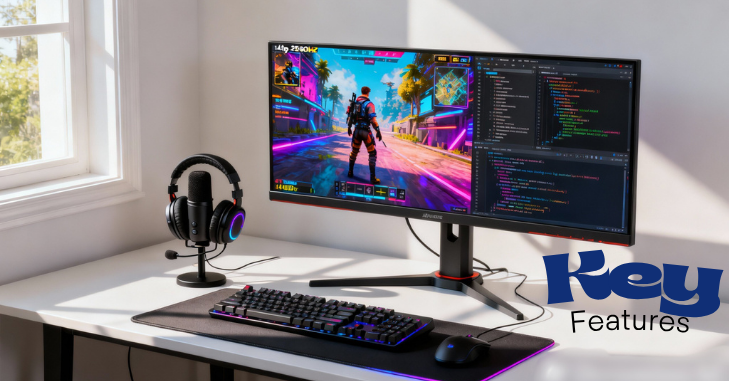
Key Features of 1440p 240Hz Monitors
1. Response Time
Response time measures how quickly a pixel changes from one color to another. A low response time (measured in milliseconds, or ms) is critical in gaming to reduce ghosting and motion blur. Look for monitors with a response time of 1ms to 3ms for optimal performance in fast-paced scenarios.
2. Panel Technology
The type of panel used in a monitor can significantly affect its performance:
- IPS (In-Plane Switching): Offers better color accuracy and wider viewing angles, making it ideal for both gaming and creative work.
- TN (Twisted Nematic): Typically has faster response times but poorer color reproduction and viewing angles. It is often favored by competitive gamers looking for speed.
- VA (Vertical Alignment): Balances good contrast ratios and decent color reproduction with moderate response times, making it suitable for general use and casual gaming.
3. Adaptive Sync Technology
Adaptive Sync technologies like NVIDIA G-Sync and AMD FreeSync help eliminate screen tearing and stuttering by synchronizing the monitor’s refresh rate with the frame rate output from your graphics card. This technology is crucial for ensuring smooth gameplay in demanding scenarios.
4. Connectivity Options
Modern monitors come equipped with various connectivity options:
- HDMI 2.0 and 2.1: Essential for high refresh rates and resolutions, with HDMI 2.1 supporting 240Hz at 1440p resolution.
- DisplayPort: Typically preferred for gaming monitors as it can handle higher refresh rates and resolutions better than HDMI.
- USB Ports: Many monitors feature USB ports for connecting peripherals, charging devices, or uploading data, enhancing overall convenience.
5. Ergonomics and Adjustability
Ergonomics plays a vital role in user comfort during prolonged use. Look for adjustable stands that allow you to change height, tilt, and swivel options to create an ergonomic setup. Models with VESA compatibility can also be mounted on walls or stands for added flexibility.
Benefits of 1440p 240Hz Monitors
Enhanced Gaming Experience
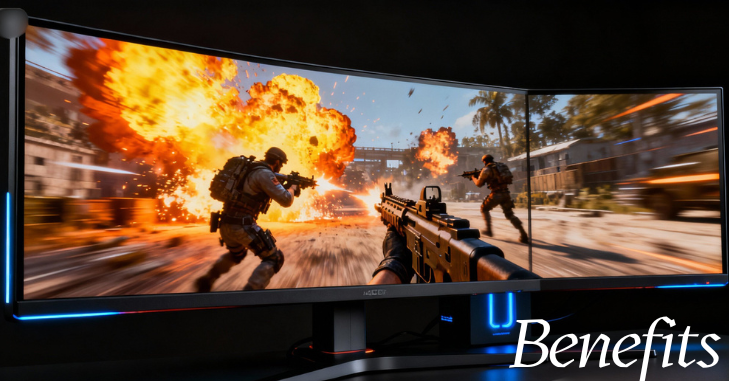
1440p 240Hz monitors offer gamers the ability to enjoy stunning visuals without compromising on smoothness. The combination of higher resolution and refresh rate creates an immersive environment that can enhance your overall gaming experience.
Future-Proofing
As gaming technology continues to advance, 1440p is becoming the standard for mid to high-end gaming. Investing in a 1440p 240Hz monitor means you’ll be equipped for future gaming titles that prioritize higher resolutions and frame rates.
Versatility
These monitors aren’t solely for gaming; they are also excellent for creative work. Whether you’re editing photos, designing graphics, or enjoying multimedia content, the color accuracy and resolution of a 1440p monitor significantly enhance the user experience.
Comfort During Long Use
With features such as low blue light modes and flicker-free technology, many 1440p 240Hz monitors are designed to reduce eye strain, making them more comfortable for extended periods of use.
Pricing of 1440p 240Hz Monitors
Entry-Level Models
You can find budget-friendly options starting around £225 to £305,. These monitors typically come with decent specifications but might skimp on features like advanced color settings or high-end panel types.
Mid-Range Options
In the mid-range category, expect prices to range from£300 to £533. These monitors often include better features such as improved panel technology (like IPS), enhanced build quality, and additional functionality.
High-End Models
For premium models, prices can exceed 532 GBP High-end 1440p 240Hz monitors often boast advanced features, including superior color accuracy, faster refresh rates, and design elements tailored for serious gamers.
Additional Costs
Consider additional costs such as:
- Graphics Card: A powerful GPU is necessary to take full advantage of a 1440p 240Hz setup.
- Cables: Depending on the compatibility of your monitor, you may need to purchase high-quality cables (such as HDMI 2.1 or DisplayPort).
Popular Models

Here are some popular 1440p 240Hz monitors available on the market:
1. ASUS ROG Swift PG259QN
- Panel Type: IPS
- Refresh Rate: 240Hz (supports G-Sync)
- Response Time: 1ms
- Price: Around531.28 Pounds
2. Dell Alienware AW2521H
- Panel Type: IPS
- Refresh Rate: 240Hz (G-Sync)
- Response Time: 1ms
- Price: Approximately 683.08 Pounds
3. AOC AGON AG273QX
- Panel Type: VA
- Refresh Rate: 240Hz (supports FreeSync and G-Sync)
- Response Time: 1ms
- Price: About379.47 Pounds
4. LG 27GN950-B
- Panel Type: Nano IPS
- Refresh Rate: 240Hz (supports G-Sync)
- Response Time: 1ms
- Price: Around 607.15 Pounds
Choosing the Right Monitor for You

Assess Your Needs
When selecting a 1440p 240Hz monitor, consider the primary use:
- Gaming: Focus on panels with low response times and adaptive sync technologies.
- Content Creation: Choose monitors with IPS panels for better color accuracy.
- Mixed Use: Look for models that balance speed and color performance.
Compatibility with Hardware
Ensure that your computer hardware can support 240Hz at 1440p. This often requires a top-tier graphics card capable of delivering high frame rates in games.
Monitor Size and Space
The size of your monitor will affect your gaming experience and workspace. Common sizes for 1440p monitors range from 27 to 32 inches. A larger screen can enhance immersion, but ensure you have adequate desk space.
Conclusion
A 1440p 240Hz monitor is a remarkable investment for gamers and professionals alike. With the combination of high resolution and rapid refresh rates, these monitors provide stunning visuals, smooth gameplay, and a versatile experience that transcends traditional gaming.
As you explore the options available on the market, consider your specific needs, budget, and compatibility with existing hardware. With the right choice, you’ll unlock an unparalleled visual experience that enhances every aspect of your digital life.
Want to know about Samsung A40 Review: Full Analysis of Features, Camera Results, Software updates, Battery Endurance, and User Experience Check out our Tech category.
FAQs
At least at 1080p and 1440p, modern GPUs are capable of handling 240Hz.
AOC might have created the fastest gaming monitor in the world. The new 27-inch QHD monitor has the highest refresh rate in the world, capable of 500Hz at 1440p or up to 1,000Hz at 1080p.
A 4k monitor is generally a better choice for mixed usage than a 1440p display, as you’ll get sharper text and a more detailed image with 4k, and you can always play games on a 4K monitor with a lower resolution.