

Introduction
The Lenovo Tab P11 Pro Gen 2 has quickly gained attention as a feature-packed, budget-friendly tablet, offering premium specs usually found in high-end models. This tablet features a stunning 11.2-inch OLED display with 120Hz refresh rate, Dolby Vision, and HDR10+ for exceptional visuals and is priced competitively. Powered by the MediaTek Kompanio 1300T chipset, it delivers impressive performance. It is optimized for Android 14, ensuring a smooth, modern user experience. Its sleek aluminum design, quad JBL speakers, and productivity features like Lenovo’s Productivity Mode make it a versatile choice for work and entertainment. But how does it stack up against other budget alternatives?
| Build Quality | Premium aluminum alloy body, sleek 6.9mm profile |
| Display Type | 11.2-inch OLED, 2.5K resolution, HDR10+, 120Hz refresh rate |
| Processor | MediaTek Kompanio 1300T |
| RAM and Storage | Up to 8GB RAM and 256GB storage |
| Operating System | Android 14 (with upgrade options) |
| Audio | Quad JBL speakers with Dolby Atmos |
| Battery Life | 8,000mAh, up to 14 hours of video playback |
| Charging Speed | 20W fast charging |
| Camera | 13MP rear, 8MP front |
| Connectivity | Wi-Fi 6, Bluetooth 5.1 |
| Productivity Features | Lenovo Productivity Mode with optional keyboard |
| Gaming Performance | Smooth gaming with 120Hz display and Kompanio 1300T chipset |
| Price Range | Slightly higher for the premium features |
| Best For | Productivity, entertainment, creatives, and heavy users |
| Overall Value | High price-to-performance ratio with premium features |
Lenovo Tab P11 Pro: A Premium Tablet for Productivity and Entertainment
The Lenovo Tab P11 Pro positions itself as a versatile tablet that balances productivity capabilities with immersive entertainment features, making it an appealing choice for both work and leisure. Its rich OLED display delivers sharp visuals and vibrant colors that enhance everything from streaming movies to reviewing documents, while the inclusion of a detachable keyboard accessory helps bridge the gap between casual tablet use and light laptop-style productivity. Designed to accommodate a range of needs — from digital sketching and note-taking with a stylus to handling everyday tasks and multitasking — the Tab P11 Pro reflects Lenovo’s focus on creating a well-rounded slate that suits families, professionals, and creative users alike. This combination of performance, display quality, and expandability underscores why the P11 Pro stands out in the mid-to-high-range Android tablet market.
Build Quality and Design
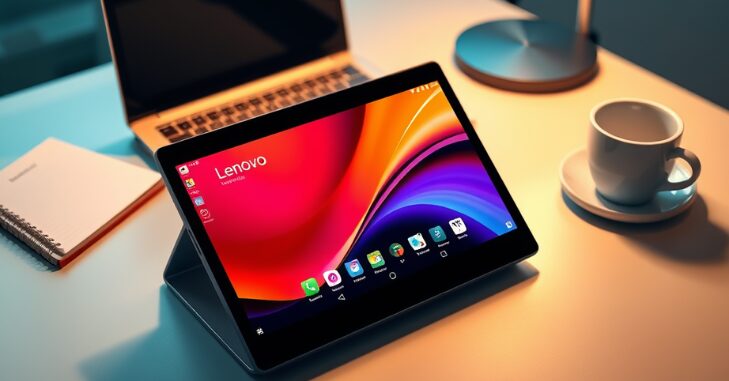
When it comes to build quality and design, the Lenovo Tab P11 Pro sets a high standard for budget tablets. The tablet feels premium without the heavy price tag, featuring a sleek aluminum alloy body. Its ultra-slim 6.9mm profile and lightweight design make it easy to carry around, appealing to students, professionals, and casual users alike. In comparison, budget alternatives like the Samsung Galaxy Tab A8 or Amazon Fire HD 10 often utilize plastic builds to keep costs low.
While these tablets are durable, they lack the luxurious feel of Lenovo’s offering. Similarly, the Xiaomi Pad 5, another popular budget tablet, features a more polished aesthetic but is slightly bulkier than the Tab P11 Pro. If tactile experience and portability are high on your priority list, the Lenovo Tab P11 Pro edges ahead in this category. However, if you prefer rugged durability over aesthetics, tablets like the Galaxy Tab A8 may still appeal to you.
Display Quality

The Lenovo Tab P11 Pro boasts an 11.2-inch OLED display with a 2.5K resolution (2560 x 1536 pixels) and HDR10+ support. The OLED panel offers vibrant colors, deep blacks, and excellent contrast ratios. It is ideal for binge-watching Netflix, editing photos, or casual gaming. Furthermore, its 120Hz refresh rate ensures smooth scrolling and fluid animations, which is rare in budget tablets.
On the other hand, most budget competitors like the Amazon Fire HD 10 and Samsung Galaxy Tab A8 stick to LCD panels with Full HD or lower resolutions. While these displays are respectable for watching videos or browsing, they can’t compete with the vividness and sharpness of the P11 Pro’s OLED screen. Models like the Realme Pad, however, do come with a 2K LCD screen, but users will miss out on the richness that OLED offers. If display quality is your top concern—whether for entertainment or creative work—the Lenovo Tab P11 Pro is the clear winner.
Performance and Processing Power
Under the hood, the Lenovo Tab P11 Pro is powered by the MediaTek Kompanio 1300T chipset, paired with up to 8GB of RAM and 256GB of storage. This configuration delivers smooth multitasking, fast app launches, and even decent performance in graphic-intensive games. While it’s not a flagship-level processor, it holds its own in the budget segment. In comparison, the Samsung Galaxy Tab A8 relies on a Unisoc Tiger T618 chip, and the Amazon Fire HD 10 is equipped with a MediaTek Helio P60T. Both are capable of handling basic tasks like streaming, web browsing, and light productivity. Still, they struggle with demanding apps and multitasking.
Similarly, the Realme Pad offers a MediaTek Helio G80 processor, which provides slightly better performance than the Fire HD 10 but still lags behind the P11 Pro, especially in gaming. For those needing a tablet for productivity or creative work, the Lenovo Tab P11 Pro easily outpaces its rivals. However, for light users or those on a tight budget, devices like the Galaxy Tab A8 can offer sufficient performance for everyday needs.
Audio and Connectivity
Audio quality is an area where the Lenovo Tab P11 Pro truly shines. With quad JBL speakers and Dolby Atmos support, the tablet delivers immersive surround sound, making it perfect for movie nights or music streaming. The audio experience is further enhanced by the tablet’s smart audio tuning, which adjusts dynamically based on your environment. By contrast, many budget tablets, including the Amazon Fire HD 10 and Realme Pad, come with dual speakers that deliver decent sound quality but lack the depth and clarity of the P11 Pro.
Dolby Atmos support is also absent in many of these alternatives, which can be a dealbreaker for audiophiles. On the connectivity front, the Lenovo Tab P11 Pro supports Wi-Fi 6 for faster and more reliable internet connections, along with Bluetooth 5.1 for pairing peripherals. Budget competitors like the Samsung Galaxy Tab A8 and Amazon Fire HD 10 stick to older Wi-Fi and Bluetooth standards, which might result in slower speeds and occasional connectivity hiccups. If premium audio and reliable connectivity are important to you, the Lenovo Tab P11 Pro unsurprisingly leads the pack.
Software and Productivity Features
Out of the box, the Lenovo Tab P11 Pro runs on Android 12, with a promise of future updates to newer Android versions. Its near-stock Android interface ensures a clean, bloatware-free experience, making navigation smooth and intuitive. Lenovo also includes productivity-enhancing features like Lenovo’s Productivity Mode, which turns the tablet into a desktop-like interface when paired with a keyboard. In comparison, Samsung’s Galaxy Tab series includes One UI, which brings its productivity features, like multitasking tools and split-screen capabilities.
However, the Fire HD 10 runs on Amazon’s custom Fire OS, which is more limited in app availability and lacks advanced multitasking options. Similarly, the Realme Pad features Realme UI for Pad, which offers some functionality but doesn’t match the smoothness or flexibility of Lenovo’s software. For users relying on their tablet for productivity, the Lenovo Tab P11 Pro’s software tools and optional keyboard support make it an excellent choice.
Battery Life and Charging
The Lenovo Tab P11 Pro packs an 8,000mAh battery, offering up to 14 hours of video playback on a single charge. Combined with its efficient OLED display and optimized software, it provides all-day usage for most scenarios. The tablet also supports 20W fast charging, ensuring you can quickly top up when needed. In comparison, most budget tablets, like the Galaxy Tab A8 and Fire HD 10, feature slightly smaller batteries (around 7,000-7,400mAh) and deliver approximately 10-12 hours of screen time.
While these tablets also support fast charging, the speeds are generally slower than the P11 Pro’s 20W. The Realme Pad offers similar battery life but lacks the optimization seen in Lenovo’s device. Suppose battery life and fast charging are key considerations. In that case, the Lenovo Tab P11 Pro provides a better overall experience, particularly for power users.
Camera Performance

While budget tablets are rarely chosen for their camera capabilities, the Lenovo Tab P11 Pro surprises with its 13MP rear camera and an 8MP front camera. The cameras are adequate for casual photography, video calls, and scanning documents. Comparatively, the Galaxy Tab A8 and most other budget options offer subpar camera setups, often featuring 8MP rear cameras and 5MP or lower front-facing lenses. While suitable for basic video calls, they lack the sharpness and detail of the Tab P11 Pro’s camera.
Conclusion
The Lenovo Tab P11 Pro Gen 2 stands out as a premium tablet in the budget category, offering features like its OLED display, quad speakers, and Android 14 that are rarely found at this price point. Whether you’re a student, professional, or casual user, the Tab P11 Pro excels in performance, display quality, and versatility. While competitors like the Samsung Galaxy Tab A8 and Amazon Fire HD 10 provide solid options for basic use, Lenovo’s attention to detail and emphasis on premium features make it a superior choice. If you’re seeking a budget-friendly tablet with high-end specs, the Lenovo Tab P11 Pro is a clear winner.
Apart from this, if you are curious to read an amazing article on “The Lenovo IdeaPad 3i“, then visit and explore our “Tech” category.
Frequently Asked Questions (FAQs)
The price of the Lenovo Tab P11 Pro varies depending on the model and storage capacity. Here are some options:
Lenovo Tab P11 Pro Gen 2 (6GB RAM, 128GB storage): Around $279.
Lenovo Tab P11 Pro TB-J706F (6GB RAM, 128GB storage): Prices range from $249 to $449, depending on the seller and condition.
The Lenovo Tab P11 Pro is compatible with the Lenovo Precision Pen 3. This stylus offers precise control and pressure sensitivity, making it ideal for writing, drawing, and note-taking.
Yes, the Lenovo Tab P11 Pro supports connecting to a second monitor. You can use a USB-C to HDMI adapter to connect it to a TV or external monitor. It allows you to either duplicate or extend your display, depending on your preference.
Stylus support allows users to draw, write notes, and interact more precisely with the screen.
It can handle light productivity tasks but is best used as a tablet rather than a full laptop replacement.